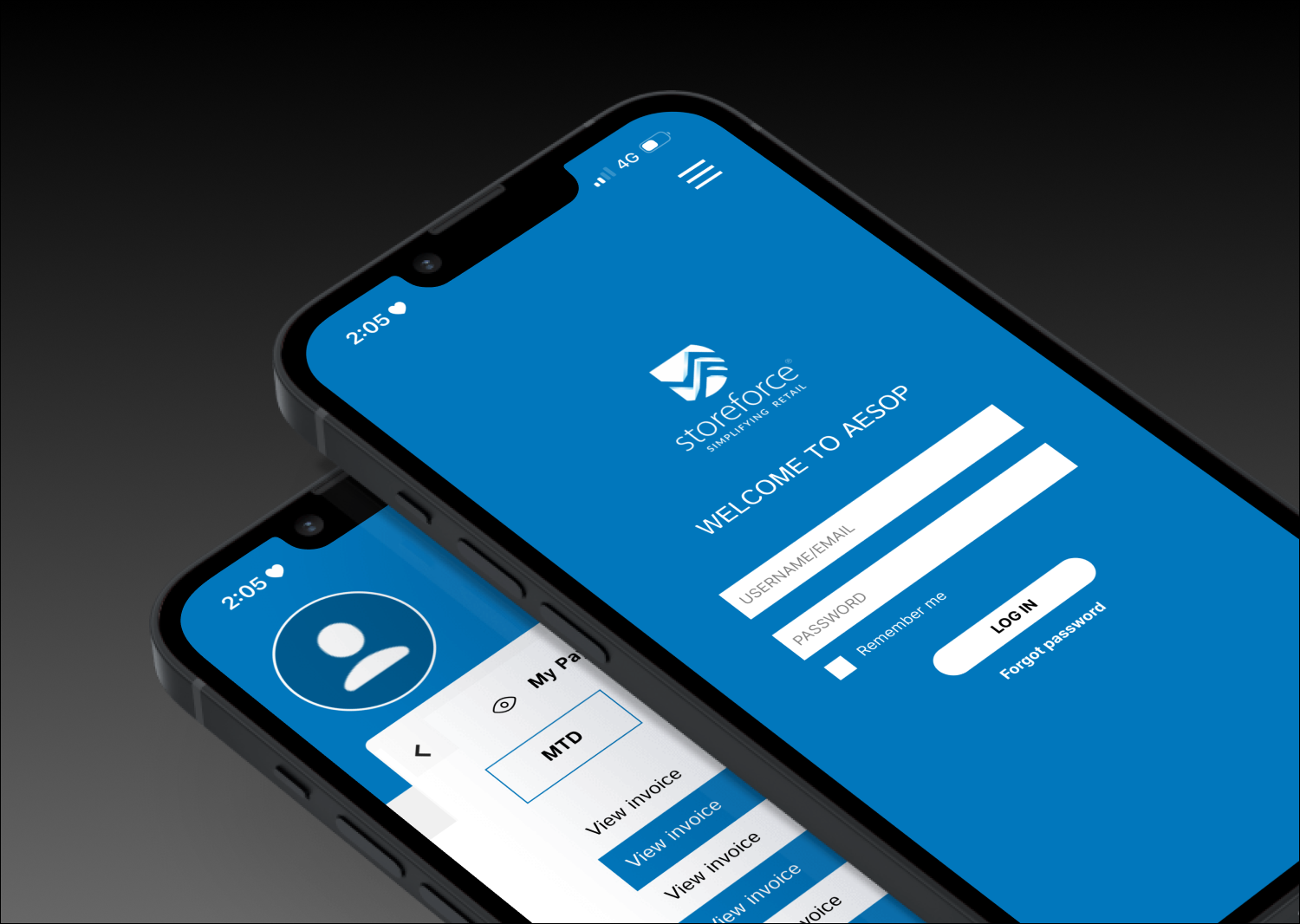
Redesigning StoreForce
Simplifying log-ins and enhancing the financial independence of its users
Overview.
ROLE
UX Designer - contractor
TIMELINE
2 Weeks
TOOLS USED
Miro / Figma
This was an independent project.
The context of this case study is as if presenting to stakeholders.
StoreForce is a retail team management app designed to help retailers stream operations and manage teams. It allows employees to perform functions such as checking assigned shifts, requesting time off and lodging unavailability.
Executive Summary.
Business Challenge: Employees using the StoreForce app are faced with numerous obstacles and difficulties when logging in to their account. This not only discourages employees from using the app but makes it difficult to use resources and tools supplied for them when granted access. Employees find after logging in there are no resources available for financial education or management.
Solution: A streamlined login experience and financial tools to enable employees to gain financial independence and learn to manage their personal finances. These tools would include payslip access, financial resources and payment splitting for personal budgeting.
Impact: There would be an expected higher retention rate, increased user engagement, reduced inquiries for support and enhanced financial autonomy for employees.
User frustration: App usage is reduced due to frustration during the login process. There is also user frustration for employees requiring to login to third-party providers to view and manage payslips. Additionally, employees looking to manage their finances may turn to other financial management apps to manage their income (i.e. missed opportunity and reduced app usage).
Financial barriers: Users lack resources to enhance their financial education and to become autonomous in their expenditure management. They also lack control in their pay distribution which creates less financial responsibility.
Operational Inefficiency: Payroll and HR teams would have an increased rate of service requests as there are limited options for employees to find solutions themselves. IT teams would have an increased number of requests for troubleshooting the login process. This makes performing basic tasks on the employee’s end frustrating and inefficient.
The Business Problem.
Things to Consider.
80% of users reported difficulties with the login process
100% relied on third party providers to access and manage their pay
60% of users would use financial planning guidance if it was available in-app
Research & Market Insights.
Primary Research.
Primary research was conducted in the form of a survey sent to retail workers at the personal care and lifestyle brand, Aesop. These surveys comprised open-ended questions asking the following:
What do you currently like about the StoreForce app?
What do you currently dislike about the StoreForce app?
What features would you add/change?
List any other rostering apps in your previous workplaces and what you like about them
These surveys were kept short due to the lack of time of employees and to encourage participation in their personal time. Without time restraints or limitations in delivery, a greater number of questions would have been used.
These survey responses revealed user sessions are constantly crashing, the app returns the user to the login screen, it doesn’t sync with phone or desktop calendars, there is no ability to sign in and out of shifts via the app and it takes a long time to process the login information.
“Really stuck, required multiple refreshments to login or get the correct roster, not able to indicate the availability directly via app.” - User 1
“It has limited function and the design of the interface is somehow boring.”
- User 2
“It would be really good to have a section where I can view my pay slip.” - User 3
“Also shows my performance of the week and rankings, but I'm not sure if some of the data are correct and how to understand them.” - User 4
“I don’t like how I have to enter my username and password into it every time because our ID’s are so long. I also don’t like how it doesn’t sync to our calendar and that we have to login to ADP just to see our payslips – and then try and interpret them!” - User 5
Defining Users.
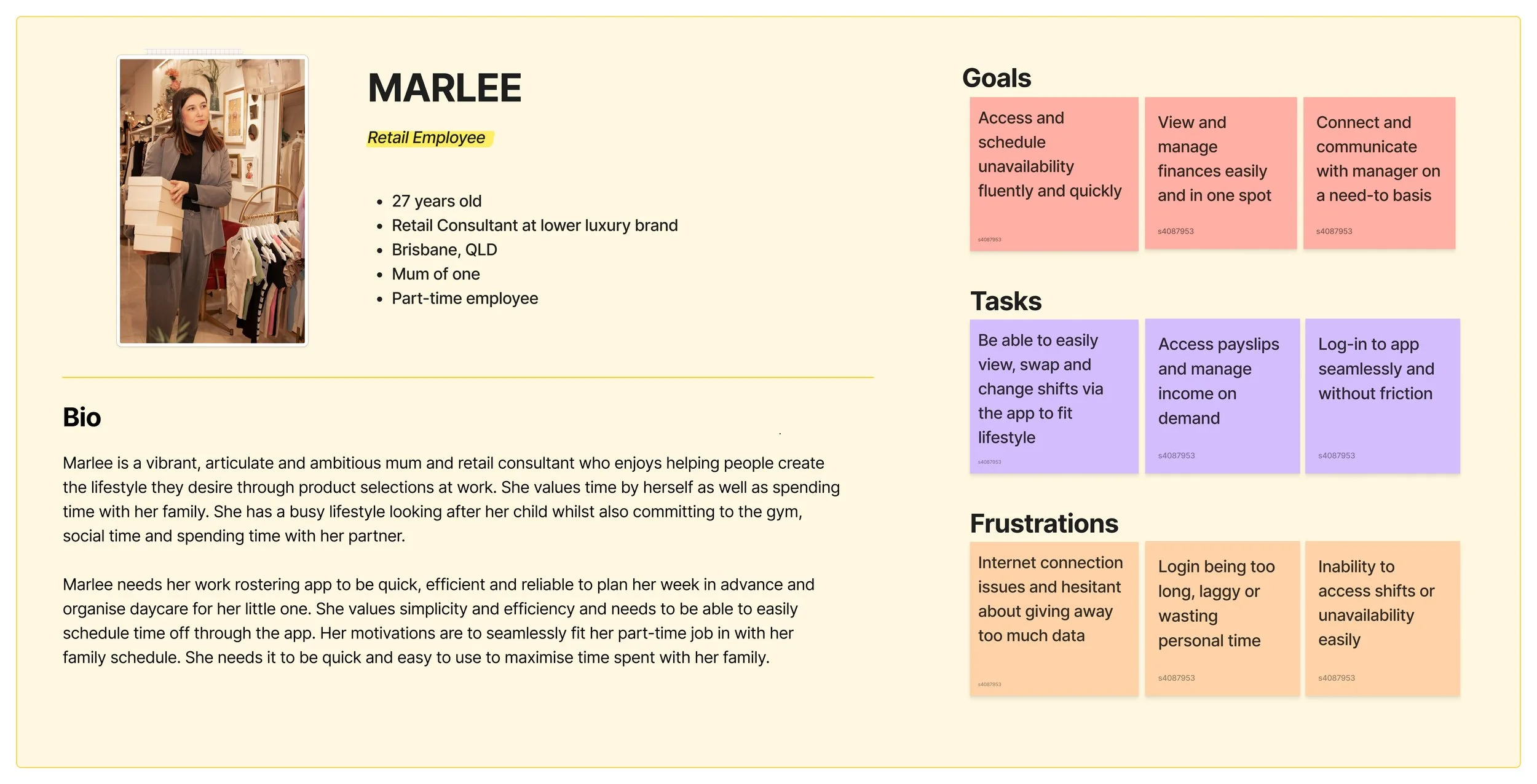
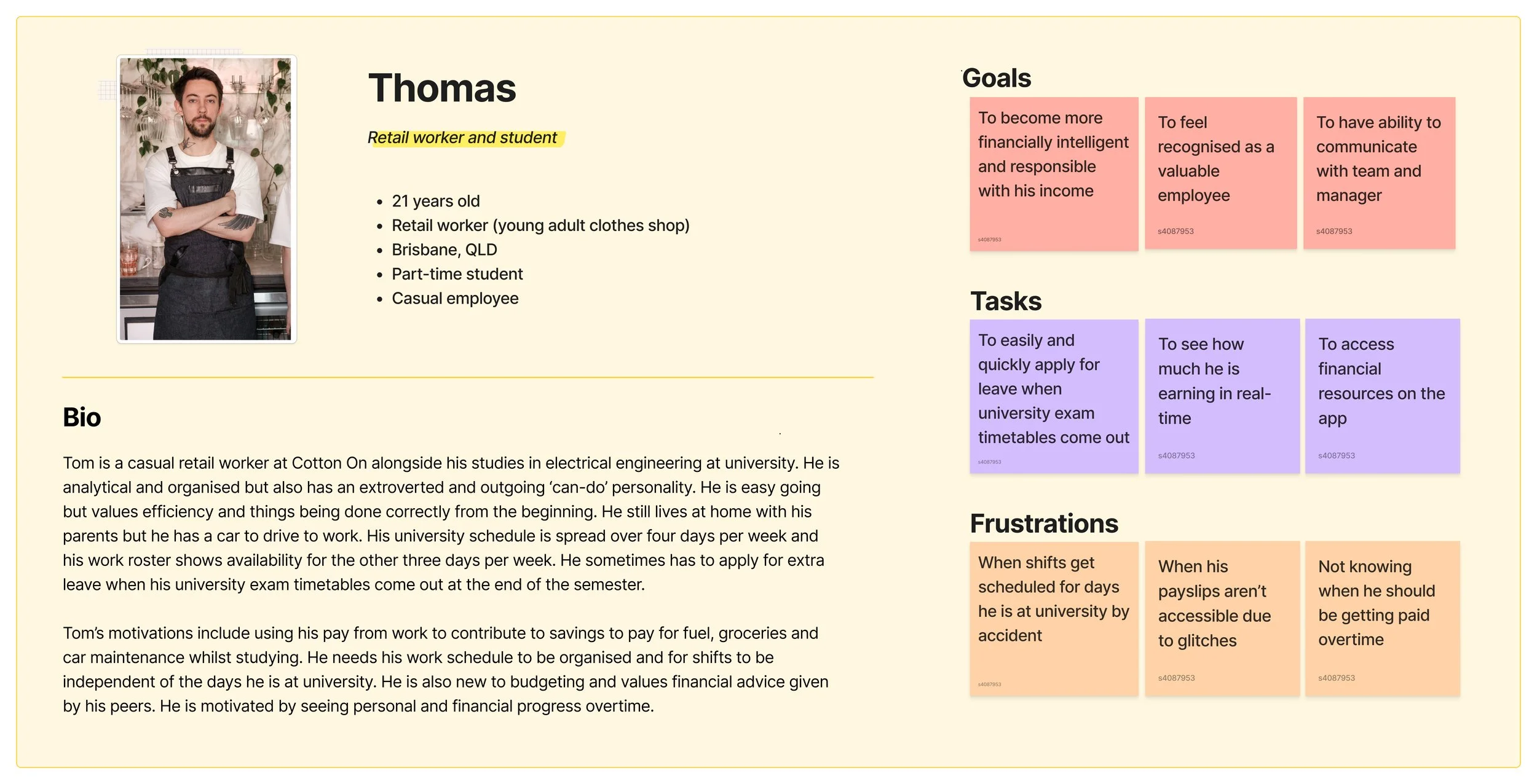
Personas were then developed to identify the goals, tasks and frustrations of typical StoreForce users. These were informed by the responses in the Google Form surveys sent to Aesop staff.
Secondary Research.
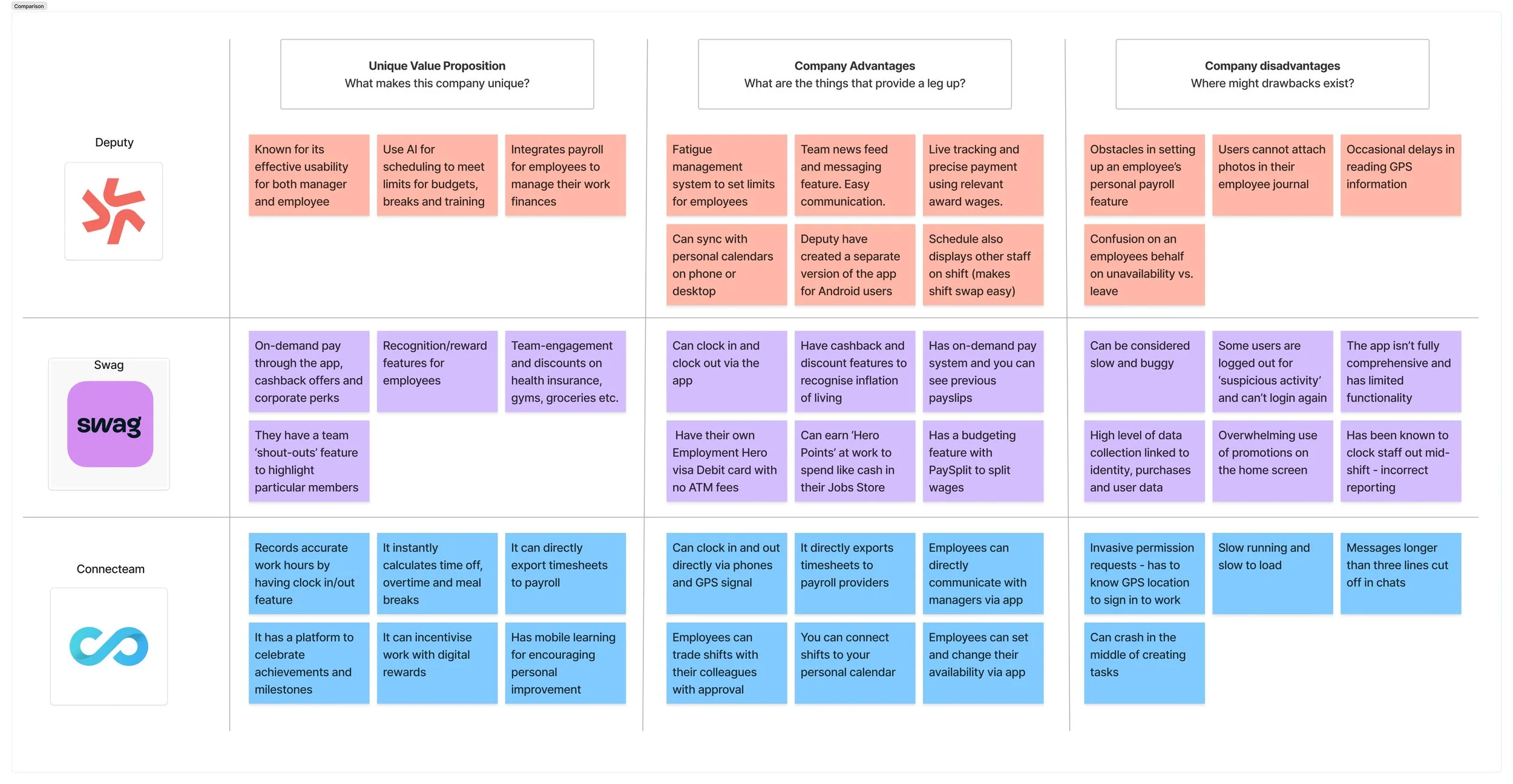
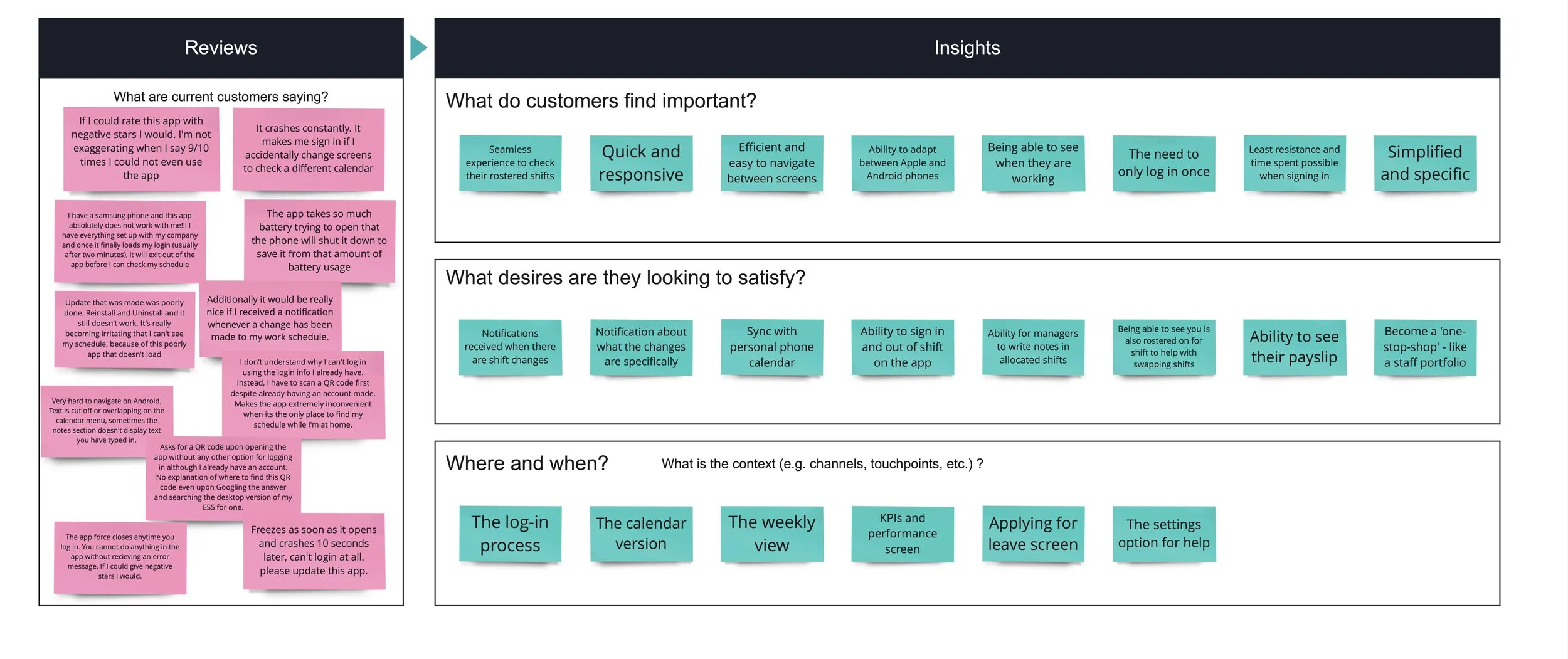
Secondary research was performed by conducting a competitor analysis and an evaluation of reviews submitted on Google Play and the App Store. Examples of these can be viewed below.
Through this process, I found that StoreForce users find the following features important:
Seamless experience to check their rostered shifts
Quick and responsive
Efficient and easy to navigate between screens
Ability to adapt between Apple and Android phones
Being able to see when they are working
The need to only log in once
Least resistance and time spent possible when signing in
Simplified and specific
It was also found the key desires they want to satisfy are:
Sync with personal phone calendar
Ability to sign in and out of shift on the app
Ability for managers to write notes in allocated shifts
Being able to see you is also rostered on for shift to help with swapping shifts
Ability to see their payslip
Become a 'one-stop-shop' - like a staff portfolio of resources and assets
Competitor Analysis.
Review Analysis.
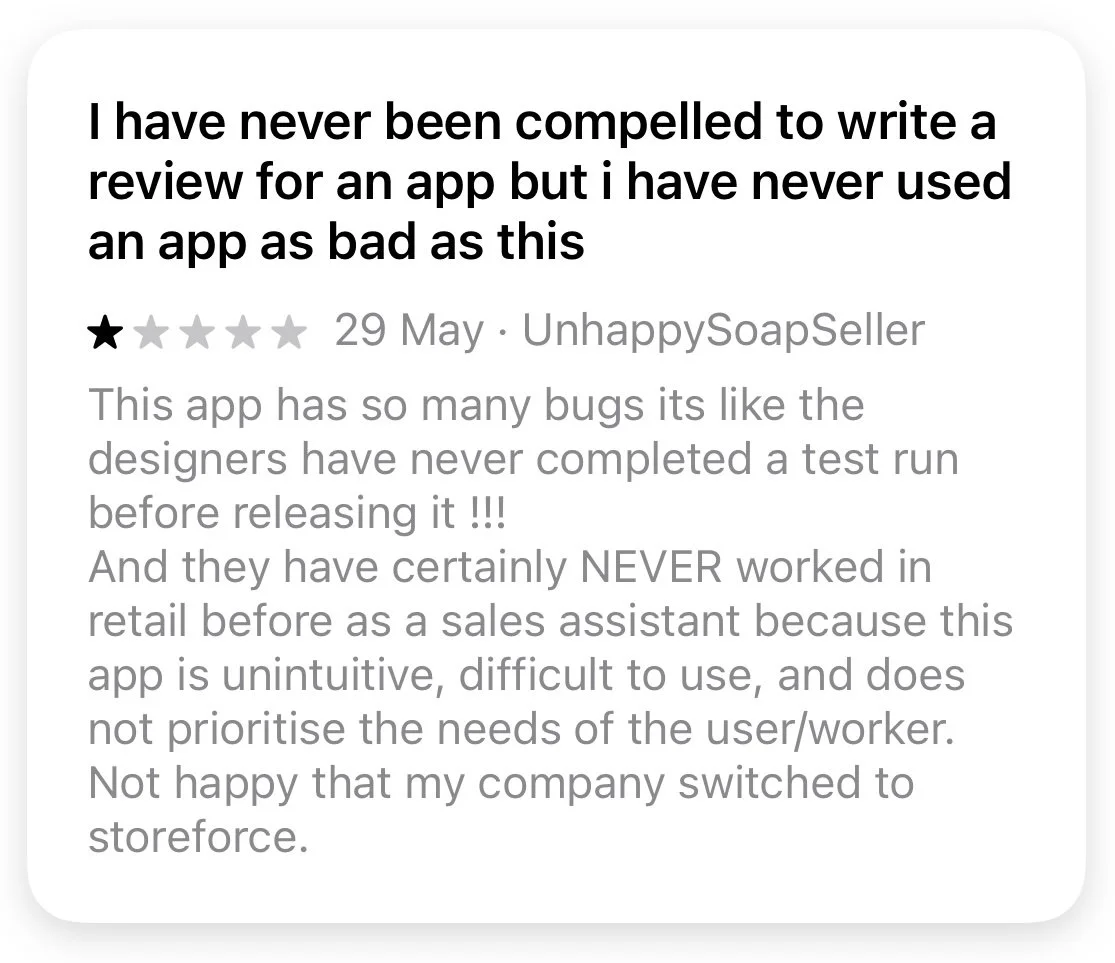
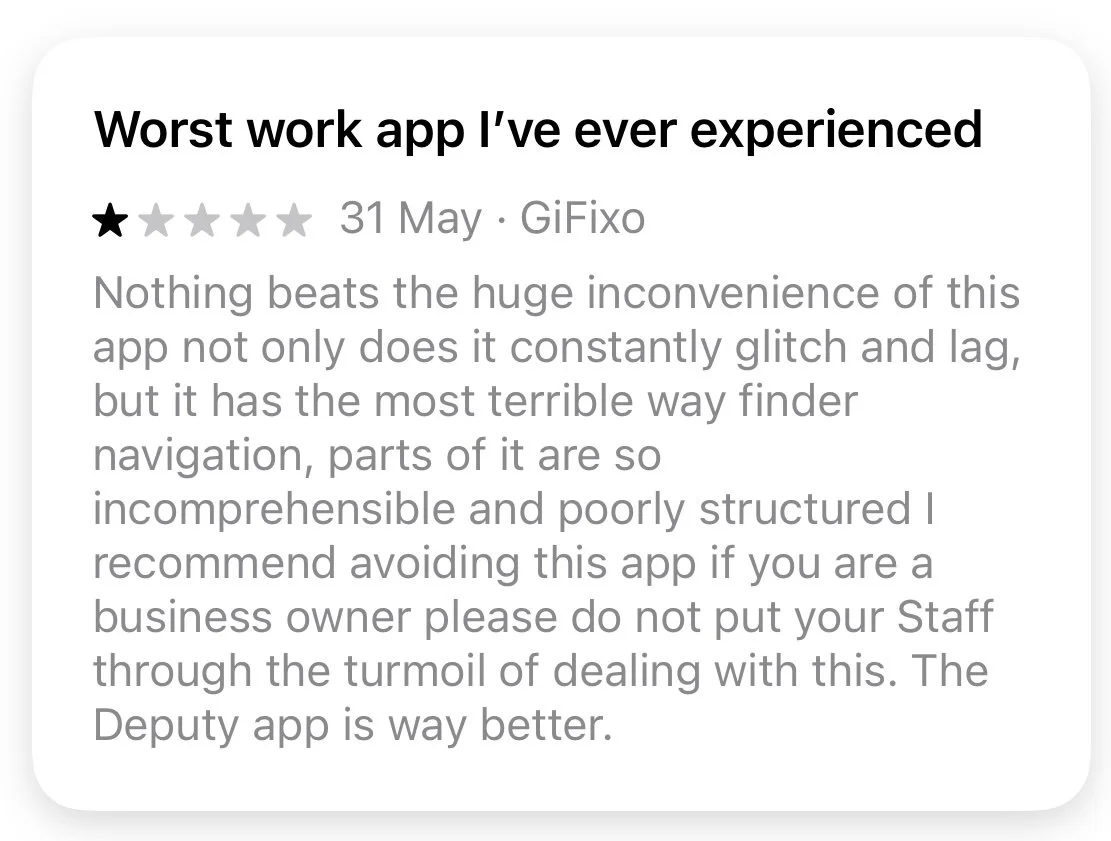
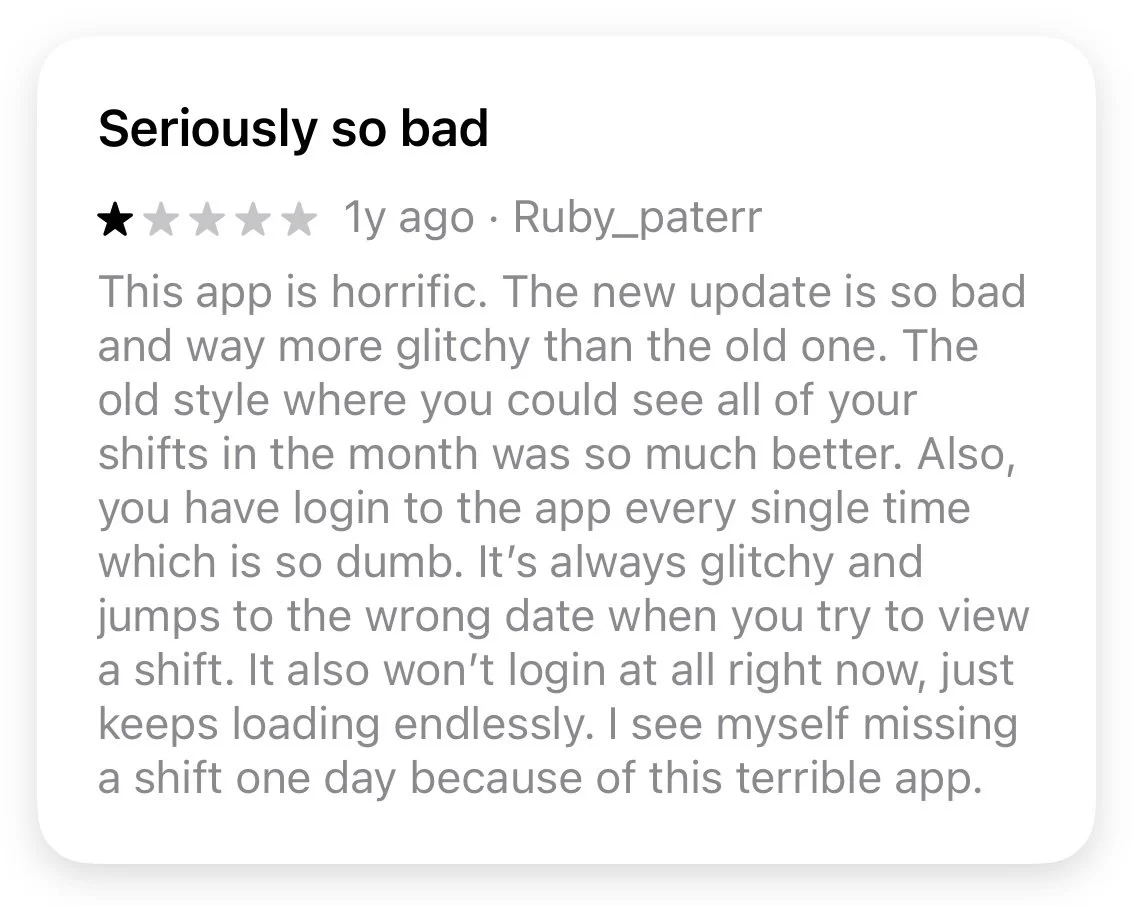
Mapping the Journey.
Autoethnographic research in combination with key points drawn from the competitor analysis and review evaluation were used to map the user journey. This journey mapped the following processes:
Login
Accessing shifts
Scheduling Unavailability
Checking payslips
After reviewing the data, it appears the key pain points are:
Users can’t save their credentials when logging in
The login process is complex and frustrating
There is currently no section to view payslips
There are currently no financial resources for staff wanting to learn to be financially intelligent
There are no options to help with budgeting
Reduced overall financial independence through limited financial management features
Business Goals.
After a review of the key information retrieved in the primary and secondary research data, the goals had to be simplified to focus on key moments and scalable features that satisfy the viability and feasibility needs of the project.
The following business goals were developed:
To create a frictionless sign-in process to increase app engagement, reduce IT relates service requests and increase retention rate
To create a ‘Financial Resource Centre’ with payslips, ‘quick-pay views’ and budgeting options. This will reduce HR and payroll workload and increase their working capacity
User impact: This will reduce frustration whilst signing in, reduce the number of service requests send to payroll, HR and IT and will give each employee the autonomy to manage their own personal finances.
Solution Strategy.
UX & Technical Strategy.
To address these goals I undertook ideation methods such as crazy 8s to come up with desirable, feasible and viable solutions for addressing both the login process and financial management tab.
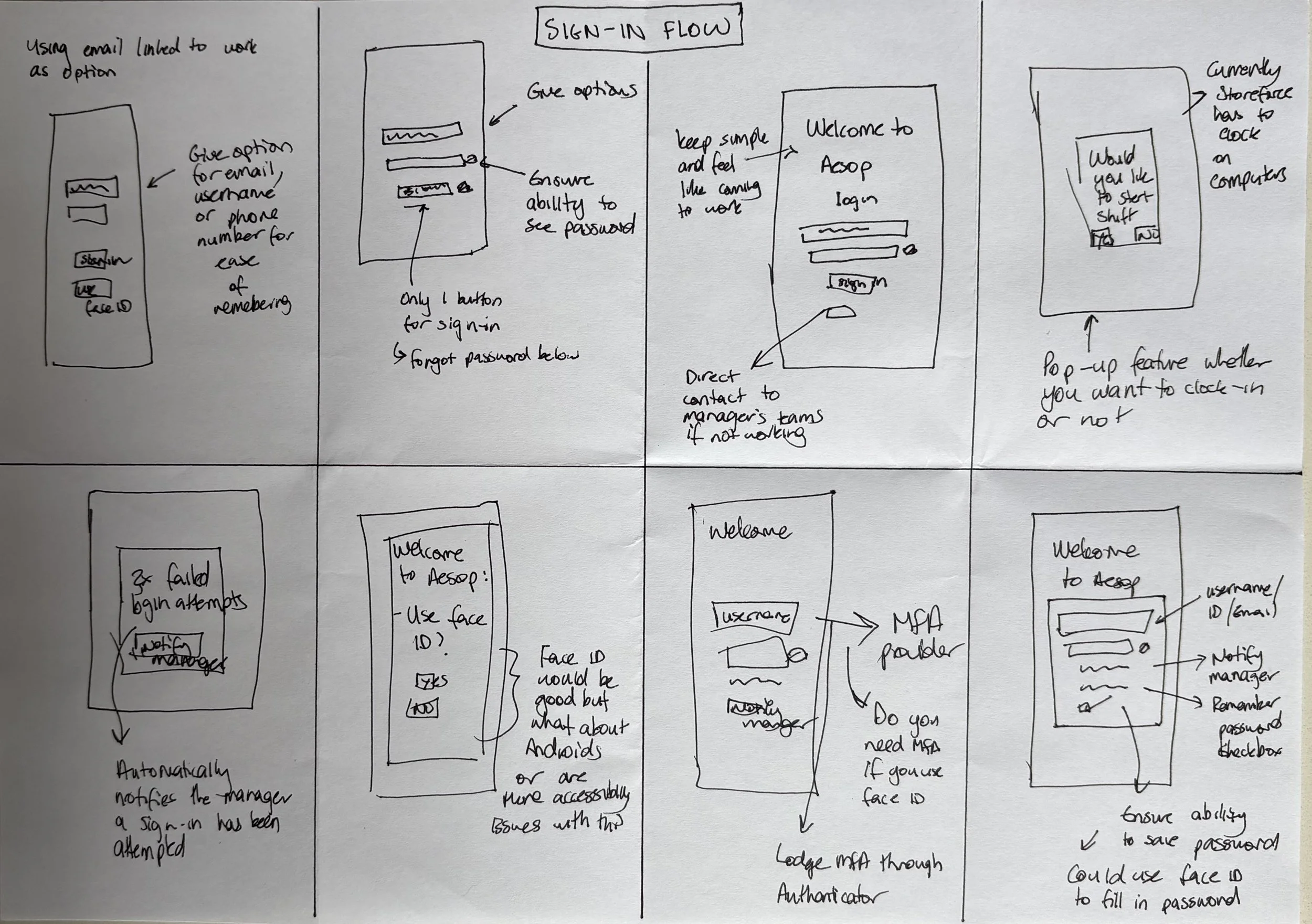
Rapid ideation with ‘Crazy 8s’ for the sign-in flow process.
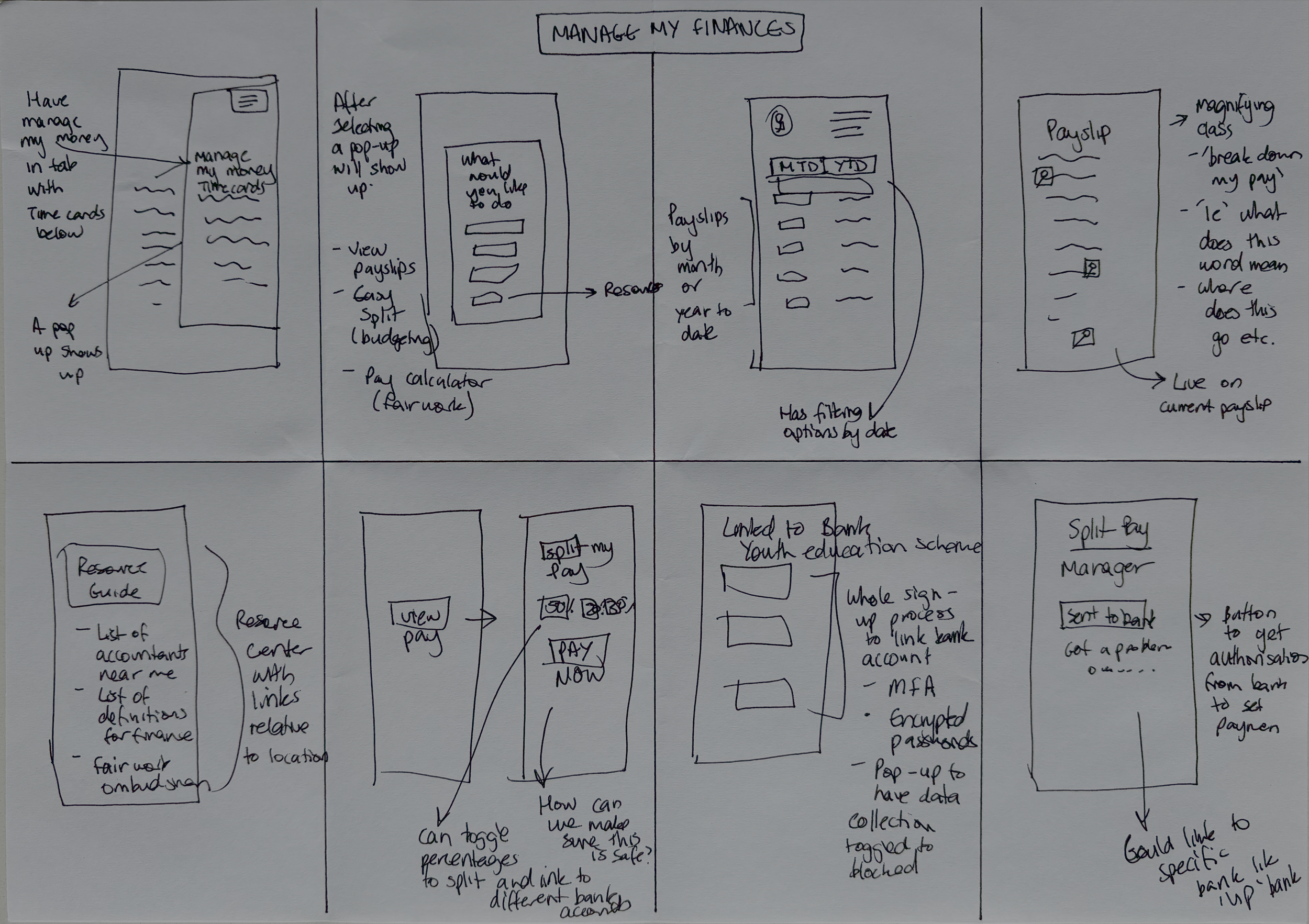
Rapid ideation with ‘Crazy 8s’ for managing finances within the settings tab of the app.
Though undertaking these ideation methods, the following changes were to be implemented to simplify the login process:
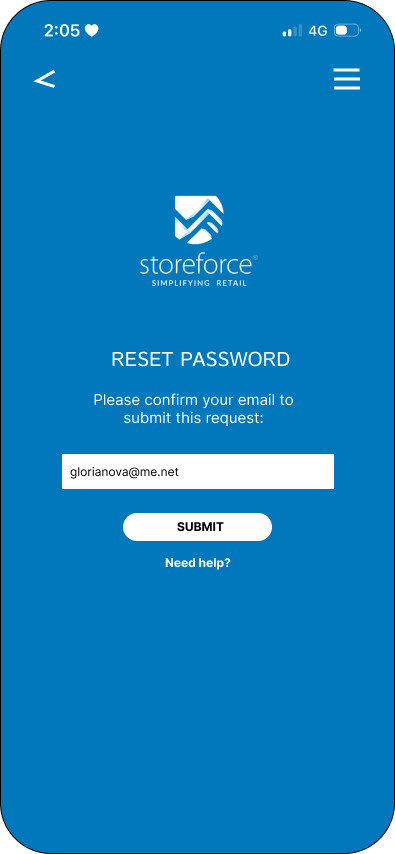
Declutter of log-in screen to make information selection easier
Have a designated option if password is forgotten
Have an option to save password
Have an option to make password visible
Include the organisation name on the login screen
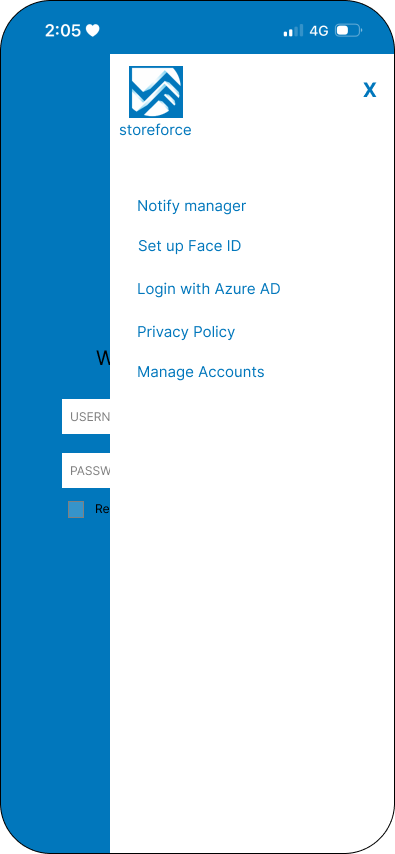
Have an account management tab that gives the option of linking to Face ID (navigation to phone settings)
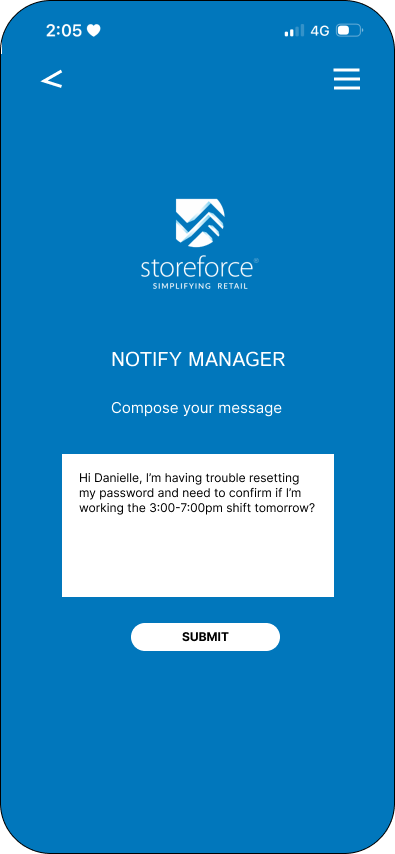
Have a ‘notify the manager’ option if staff can’t access roster and needs urgent communication. The manager will be notified via their internal StoreForce system and their linked email
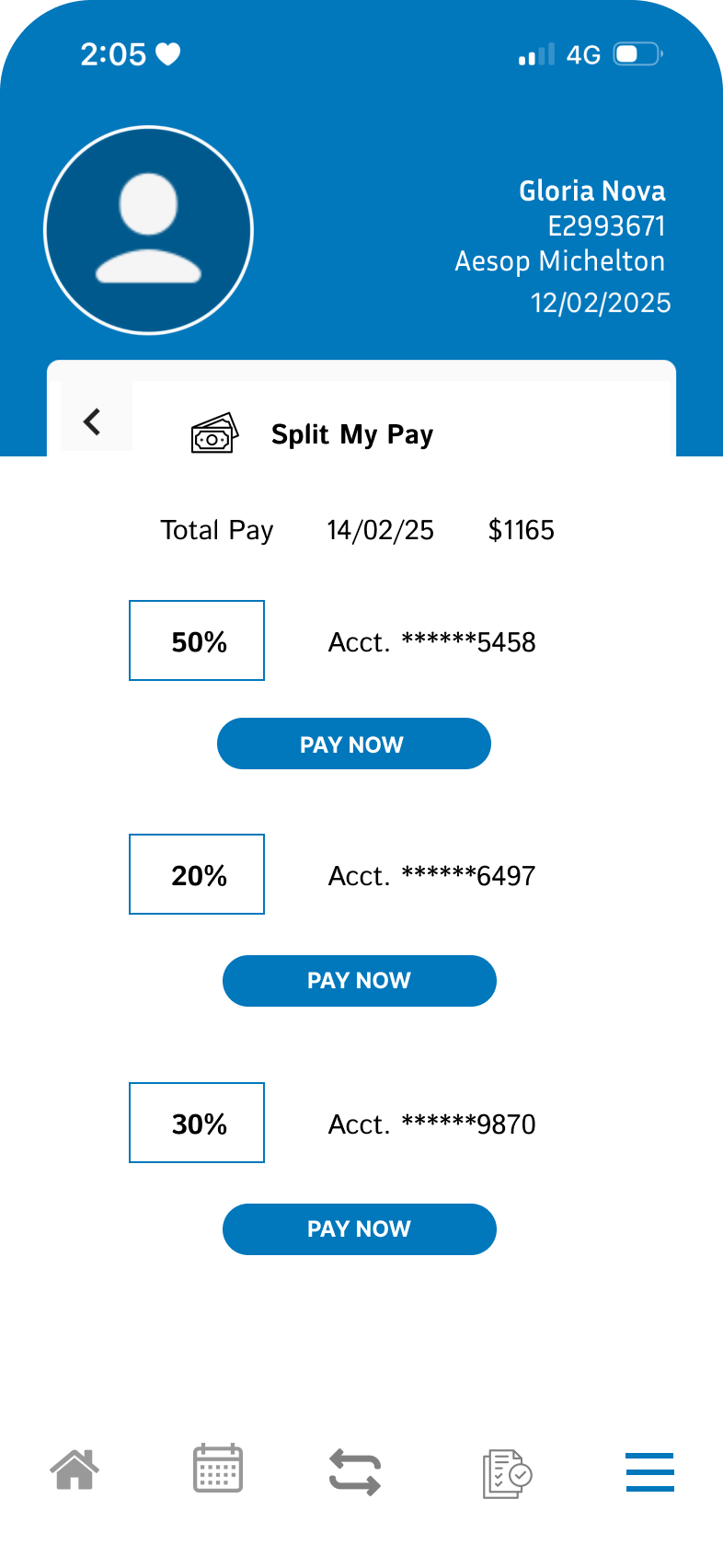
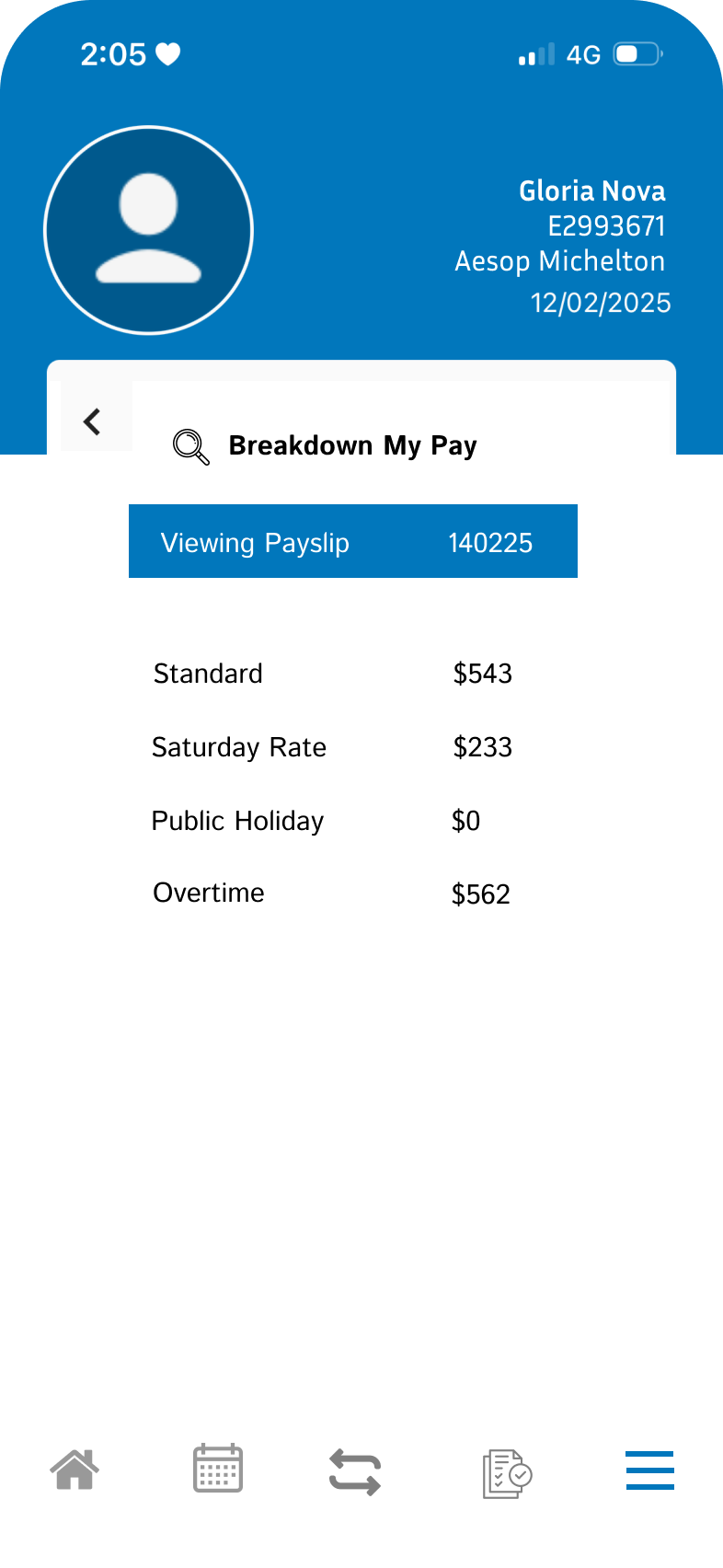
I also wanted to create a dedicated financial dashboard with:
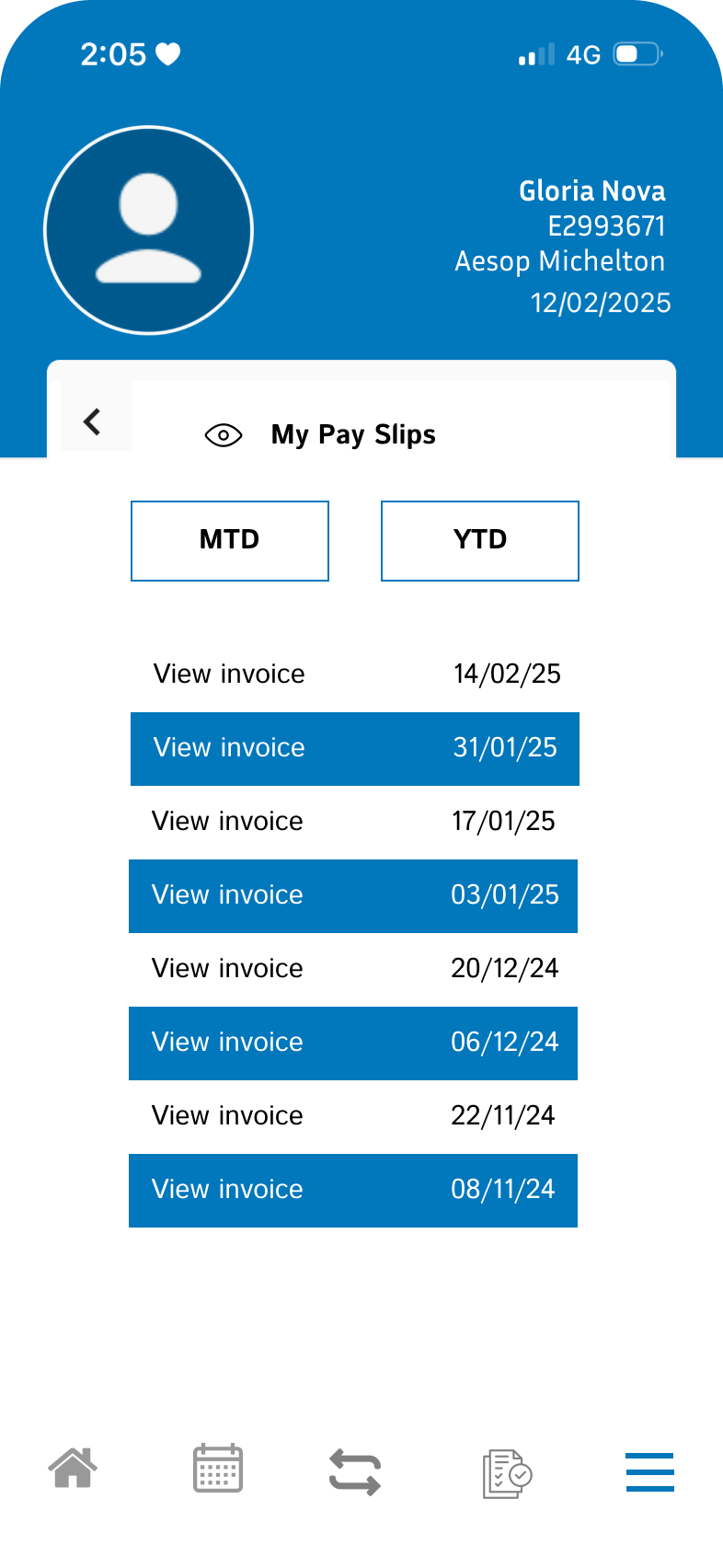
Payslip access with MTD (Month To Date) and YTD (Year To Date) Views
Have an option to ‘Split My Pay’ by nominating fractions of income to be deposited into different accounts
A breakdown of a specific payslip’s income totals (i.e. overtime, public holiday rates, Sunday rates etc.)
Have additional options linking to other resources, nearby accountants and the Fair Work website
Design Implementation.
User Flow and Wireframes.
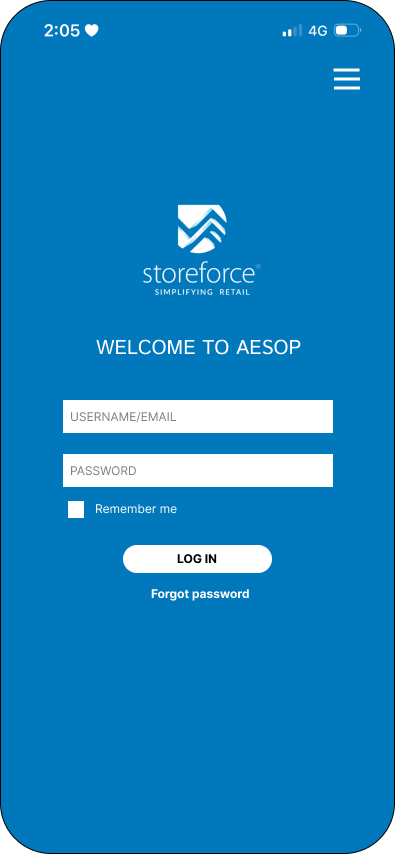
High-fidelity screens of login redesign
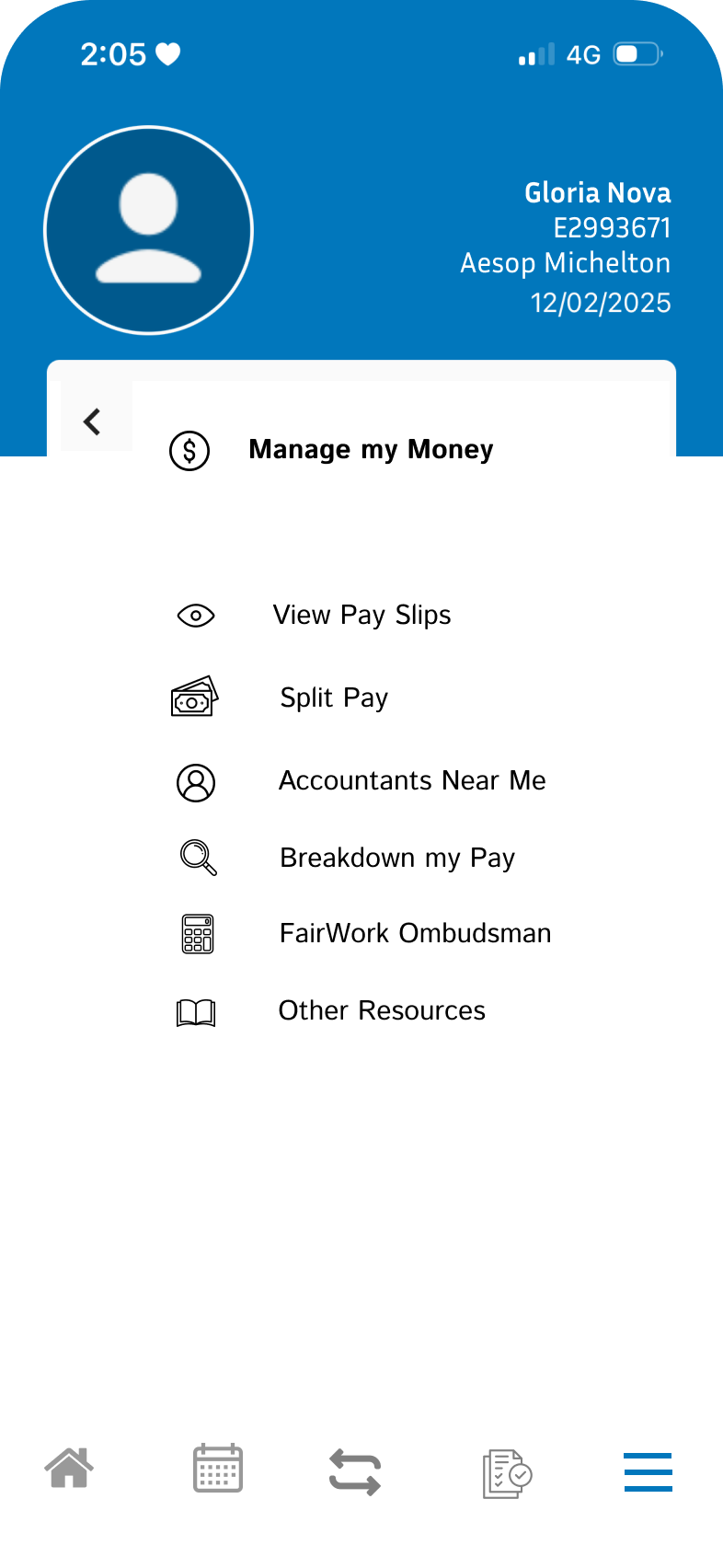
High-fidelity screens of financial dashboard
Click-through prototype of both user flows
Business Impact and Metrics.
ROI & Cost Savings.
There are numerous projected outcomes when the above changes are put into place:
There will be a reduction in login-related service requests and tickets
There will be an increase in employee engagement and retention with the addition of financial resources and payroll tools
There will be a decrease in inquiries to HR and accounts teams about direct deposits and payslips
As a result of these projected outcomes, we should also see:
Lower HR and IT support costs as employees are able to be more autonomous in their self-service
There will be a higher user retention rate because of an increase in StoreForce’s usability and engagement
There will be a reduction in staff turnover due to increased satisfaction and financial literacy
Lessons Learnt and Next Steps.
Enhancements and Scalability.
With the rise of AI there is the potential for further development into personal financial coaching and management options. There is also the option of offering additional payment features such as early wage access and automatic investments into company stocks in future.
Scalability will depend on user feedback however there is great potential for expanding features.
Final Thoughts.
Granting employees personal autonomy and responsibility in managing their finances not only boosts engagement and satisfaction but encourages user retention for the StoreForce app. This is further enabled by simplifying the log-in process and ensuring that employees feel supported throughout the user journey.